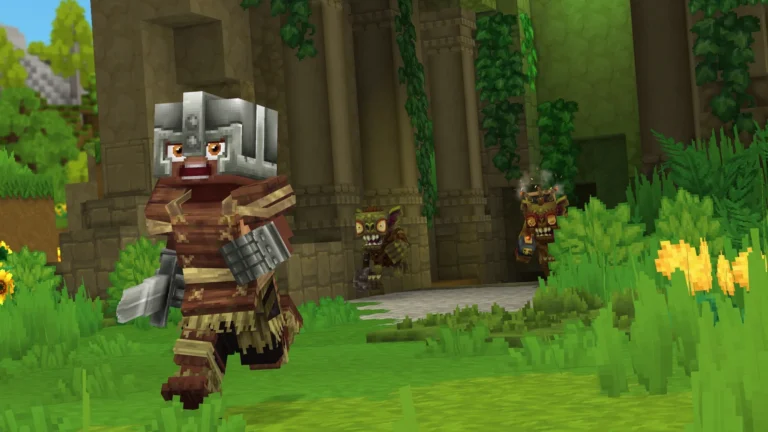
Early Access for Hytale is the first official chance to play the game before its full release. This phase is not free and is only available on PC. If you want to avoid confusion and be ready on launch day, you need to follow a few clear steps.
This guide explains exactly how you can get Early Access, where to buy the game, how to install it, and what to prepare before access goes live.
How to Get Hytale Early Access
Hytale Early Access starts on January 13, 2026. Access is tied directly to purchasing the game through its official website. There are no invites, beta keys, or third-party platforms involved at launch.
Buy Hytale From the Official Website
In order to access Early Access, you need to buy Hytale straight from its official website. During this period, the game won’t be found on Steam or any other store. As soon as you decide on an edition and finalize the payment, access to Early is permanently granted to your account.
The access to Early is included in all available editions. It is not necessary to purchase a higher-tier edition just to get the early access. The only thing that separates the editions is the amount of beauty items that are included.
Always ensure that you are using the same account you intend to play on. Your account connection is your purchase, and if you switch accounts later, you may experience access issues.
Choose an Edition That Fits You
The three different editions available are: Standard, Supporter, and Cursebreaker. All these will give you full access to the Early Access build on the launch day. The higher editions come with extra cosmetic sets, capes, and visual rewards but will not provide any gameplay advantages.
If the only thing that matters to you is playing the game early, then the Standard edition is all you need. Additionally, if you want to further support development or are into cosmetic customization, then the higher editions are the way to go as they provide more visual items.
Download and Install the Hytale Launcher
Hytale does not use third-party launchers during Early Access. After buying the game, you must download the official Hytale launcher from the same website.
Once installed, log in using the account you used to purchase the game. The launcher will detect your license automatically. When the Early Access build becomes available, you will see an option to download it.
The game files are large, so make sure you have enough free disk space and a stable internet connection. Installing early helps you avoid delays when access opens.
Pre-Install Before Launch Day
If pre-loading is available before January 13, you should download the game as soon as the option appears. This allows you to start playing immediately when Early Access goes live.
Players who wait until launch day may experience slow downloads due to heavy traffic. Installing early avoids long wait times and last-minute updates.
Know the Early Access Launch Time
Early Access officially begins on January 13, 2026. Launch timing usually starts in Pacific Time and then unlocks globally shortly after. Once access is live, you only need to open the launcher and press Play.
Server traffic may be high on day one. You might experience login queues or short delays. This is normal for Early Access launches, especially for a long-awaited game like Hytale.
Prepare Your PC Before Launch
Before launch day, check that your PC meets the minimum system requirements. Early Access runs only on Windows PCs at launch. Console versions are not available during this phase.
Update your graphics drivers and operating system ahead of time. Clear extra disk space and close background apps to improve performance. If your system is close to minimum requirements, lowering in-game settings can help maintain smoother gameplay.
Early Access builds are playable but still being optimized. Performance may vary depending on your hardware.
What Early Access Includes
Early Access gives you access to the first playable version of Hytale. You can explore the world, build, fight, and interact with core systems. However, not all planned features will be available immediately.
Because this is an Early Access build, you may encounter bugs, balance changes, and unfinished content. Updates will roll out over time, improving stability and adding features.
Important Things to Remember
You cannot access Early Access without purchasing the game. There are no free trials or demo versions at launch. You also cannot play through Steam during this phase.
Only PC players can join Early Access. Console versions may come later, but no confirmed date exists yet.
Once you own Early Access, you keep access permanently. You will not need to repurchase the game when it fully releases.
Join Before January 13
Make sure you have purchased Hytale from the official website, installed the official launcher, and checked your PC specs. Download the game as early as possible and log in before launch time.
If everything is set up in advance, you can start playing Hytale the moment Early Access goes live without delays or confusion.