

In Pokemon Pokopia, building habitats and managing crops quickly becomes a big part of daily gameplay. As your island grows, constantly running back and forth to check if Pokemon have spawned or crops are ready can slow things down.
This is when Pokemon Pokopia Security Cameras will become very useful. The cameras let players remotely view their habitat, farmland, and other crucial locations from the Pokedex. This will allow players to keep exploring rather than waiting for something to happen.
When done properly, cameras can identify new Pokémon spawns, keep track of harvestable crop growth, and help players manage many habitats without having to continually return to each one.
This article will detail everything you need to know about how to get, install, and utilize Pokemon Pokopia Security Cameras.
 Using a Pokemon Pokopia Security Camera is simple once you have purchased them.
Here are the steps you can follow to install and utilise a security camera:
Using a Pokemon Pokopia Security Camera is simple once you have purchased them.
Here are the steps you can follow to install and utilise a security camera:
 In Pokemon Pokopia, security cameras can be used as a way to monitor the environment and provide remote viewing capabilities.
Once a camera is put in place, it scans its entire field of view. The player can then quickly use the Pokedex to view a live feed from that camera whenever something appears in the camera’s field of view (this includes any Pokemon that spawn in or change the area).
This is helpful for players who want to:
In Pokemon Pokopia, security cameras can be used as a way to monitor the environment and provide remote viewing capabilities.
Once a camera is put in place, it scans its entire field of view. The player can then quickly use the Pokedex to view a live feed from that camera whenever something appears in the camera’s field of view (this includes any Pokemon that spawn in or change the area).
This is helpful for players who want to:
How to Get Pokemon Pokopia Security Cameras
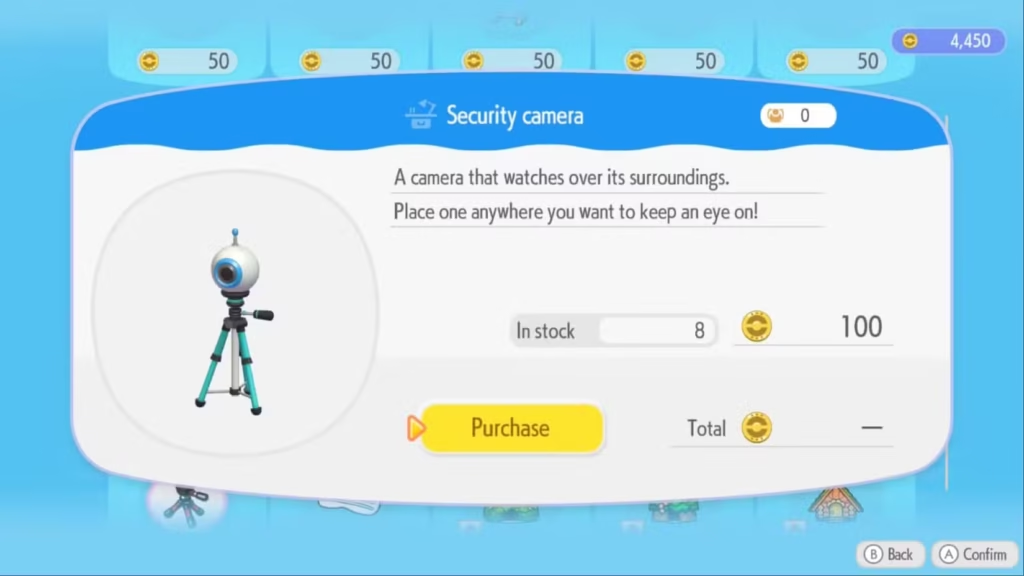
Before players can use Pokemon Pokopia Security Cameras, they must first purchase them. These cameras can be purchased from the computer store for 100 life coins each. It’s recommended to buy multiple Security Cameras early in the game as they’re cheap. Each Security Camera allows for monitoring of one area; multiple Security Cameras will enable monitoring of multiple areas such as farms (using the Farm Manager), habitats, and resource collection locations at the same time. Some players may earn their first Security Camera (or Security Cameras) through their game progress by completing quests or once they’ve reached the Pokémon Center in Pokémon Pokopia. Security Cameras then become a permanent item that can always be purchased in the Computer Store in the game. Because the size of your base expands as you play the game, if you purchase multiple Security Cameras during the early part of the game, you will prepare for larger farms and additional habitats to add later in the game.How to Use Security Cameras in Pokemon Pokopia
Using a Pokemon Pokopia Security Camera is simple once you have purchased them.
Here are the steps you can follow to install and utilise a security camera:
- Access your inventory or build menu.
- Stand by the security camera item.
- Select a position you would like to monitor using the security camera.
- Click on the security camera to adjust its orientation or to set the zoom level.
- Access your Pokédex.
- Select the security camera icon on the Pokedex.
- Select the ‘security camera’ setting, which gives you access to the live video feed from the security camera.
What Pokemon Pokopia Security Cameras Do
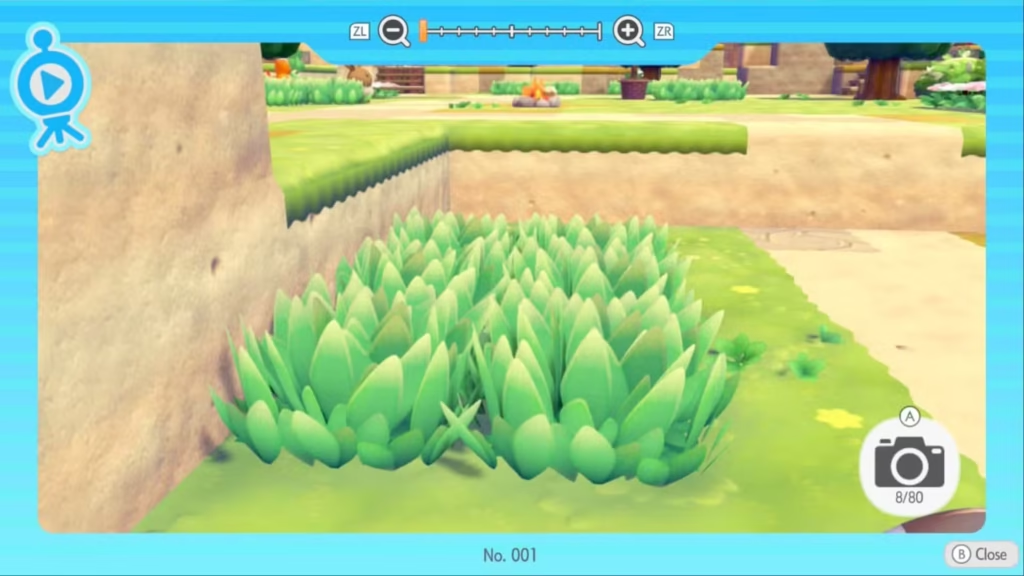
In Pokemon Pokopia, security cameras can be used as a way to monitor the environment and provide remote viewing capabilities.
Once a camera is put in place, it scans its entire field of view. The player can then quickly use the Pokedex to view a live feed from that camera whenever something appears in the camera’s field of view (this includes any Pokemon that spawn in or change the area).
This is helpful for players who want to:
- Track Pokemon spawn locations in certain biomes
- Keep track of their crops without having to visit them repeatedly
- Observe where they are producing resources
- Watch rare Pokemon spawn locations
Best Places to Put Security Cameras
Camera placement plays a huge role in how effective they are. A poorly placed camera might only show a small part of an area, while a good vantage point can cover an entire habitat or farm. Here are some of the best places to position Pokemon Pokopia Security Cameras.Habitat Areas
Habitat zones are critical to monitor. They are places where Pokemon tend to congregate, and having cameras in these zones will allow you to identify a new Pokemon that has come into your area. You should place the camera slightly away from the entrance to the habitat zone so that you can see all of the areas of grass in the surrounding habitat zone.Crop Farms
Crops grow in real time, so they need to be checked frequently by each player. A camera positioned above a crop farm will allow you to see when the crops are ready to be harvested, such as when vegetables or berries are fully grown.Rare Spawn Locations
If you know of an area where certain Pokemon spawn, placing a camera in that area will allow you to catch more of them.Elevated Terrain
If you place your security camera in an elevated area, such as on a cliff, roof, or elevated structure, you will be able to monitor a larger area. That’s all from us regarding Pokemon Pokopia Security Cameras.Editor Recommendation’s:
- How to Make Glass in Pokémon Pokopia: The Ultimate Smelting Guide
- Pokémon Pokopia ‘More Spores for Hoppip!’ Event Guide: Farming Spores & Unlocking Habitats
- The Ultimate Guide to Dream Islands in Pokémon Pokopia
- What to Do With Mysterious Slates in Pokémon Pokopia: The Ultimate Unown Mural Guide
- How to Get Bricks in Pokémon Pokopia: The Ultimate Crafting Guide
- How to Change Your Appearance in Pokemon Pokopia
- How to Time Travel in Pokemon Pokopia
FAQs