
In Starsand Island, when you start gathering more crops, ores, fish, and crafting materials, inventory space starts to feel limited. Your backpack fills up quickly, and as a result, you often have to return to your base just to dump materials into Storage Boxes.
If you are now wondering how to upgrade your backpack in Starsand Island, the process is actually very simple. The real challenge comes from gathering all the materials required for each upgrade tier. Keep reading this article, as it will help you during your journey.
Upgrading Your Backpack Step by Step
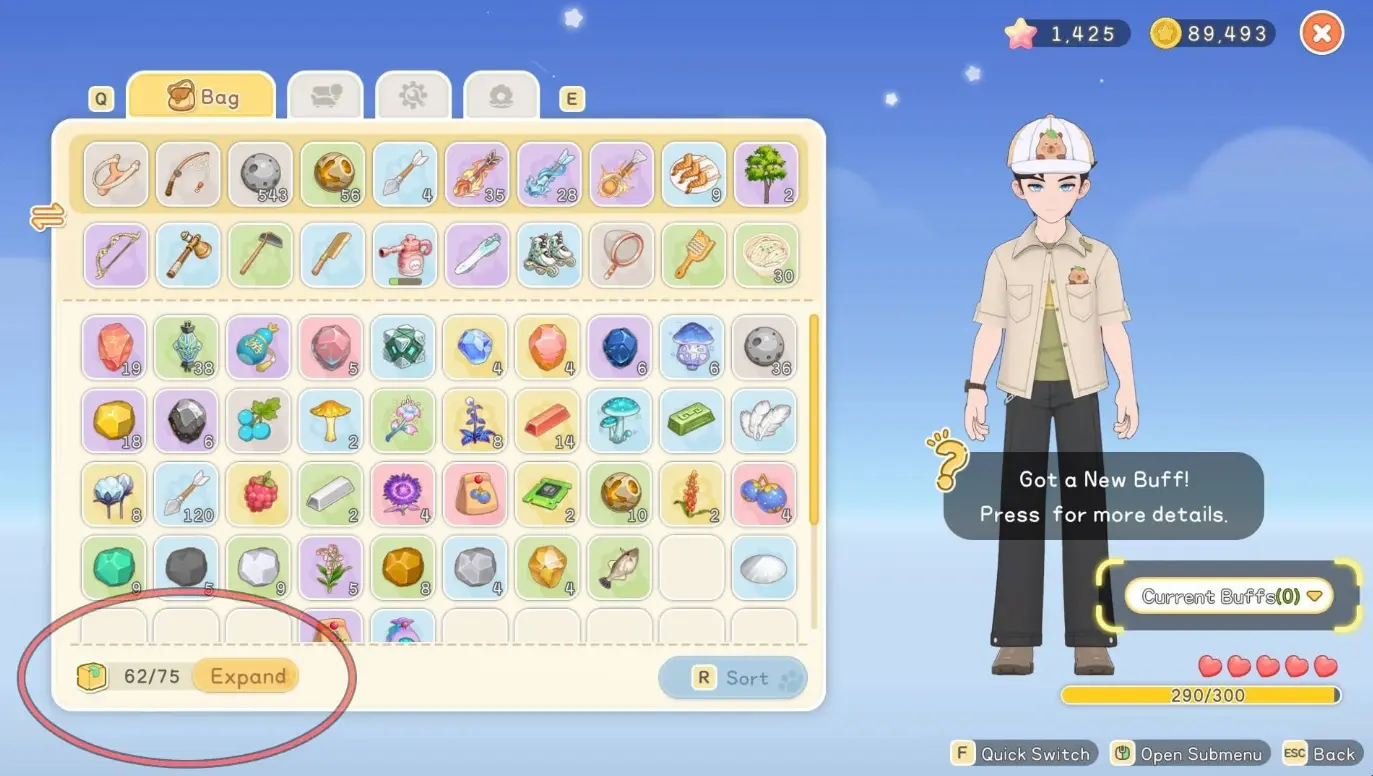
Image via Seed Sparkle Lab
To begin upgrading, first open your Inventory. In the bottom-left corner, you will see a button named Expand. Clicking it will show the materials needed to upgrade your backpack.
If you meet the requirements, confirm the upgrade and your backpack capacity and total storage slots will increase instantly.
You start with 50 slots in your backpack. Each upgrade gives you more carrying capacity. You can upgrade it 8 times, and with each expansion, 5 slots are added.
Requirements for Backpack Upgradation:
| Level | Total Slots | Required Materials |
| 1 | 55 | 5x Fiber, 5x Stone, 5x Softwood |
| 2 | 60 | 5x Carbon Line, 5x Stone Brick, 5x Softwood Plank |
| 3 | 65 | 5x Radiant Core, 5x Copper Ingot, 5x Glass Pane |
| 4 | 70 | 6x Bronze Bar, 16x Flour, 6x Flannel, 5x Carbon Line |
| 5 | 75 | 7x Hardwood Plank, 7x Iron Sheet, 10x Vegetable Juice, 5x Egg, 10x Protein Powder, 10x Fruit Pulp |
| 6 | 80 | 5x Premium Wood Plank, 5x Alloy, 10x Sugar, 2x Sheep Milk, 10x Fish Fillet |
| 7 | 85 | 3x Meteor Plank, 3x Eternal Alloy, 20x Honey, 20x Rice |
| 8 | 90 | 4x Meteor Plank, 4x Eternal Alloy, 1x Rainbow Fabric, 5x Stardew Fern, 1x Perpetual Reactor |
How to Get a Realm Box and use it for extra storage
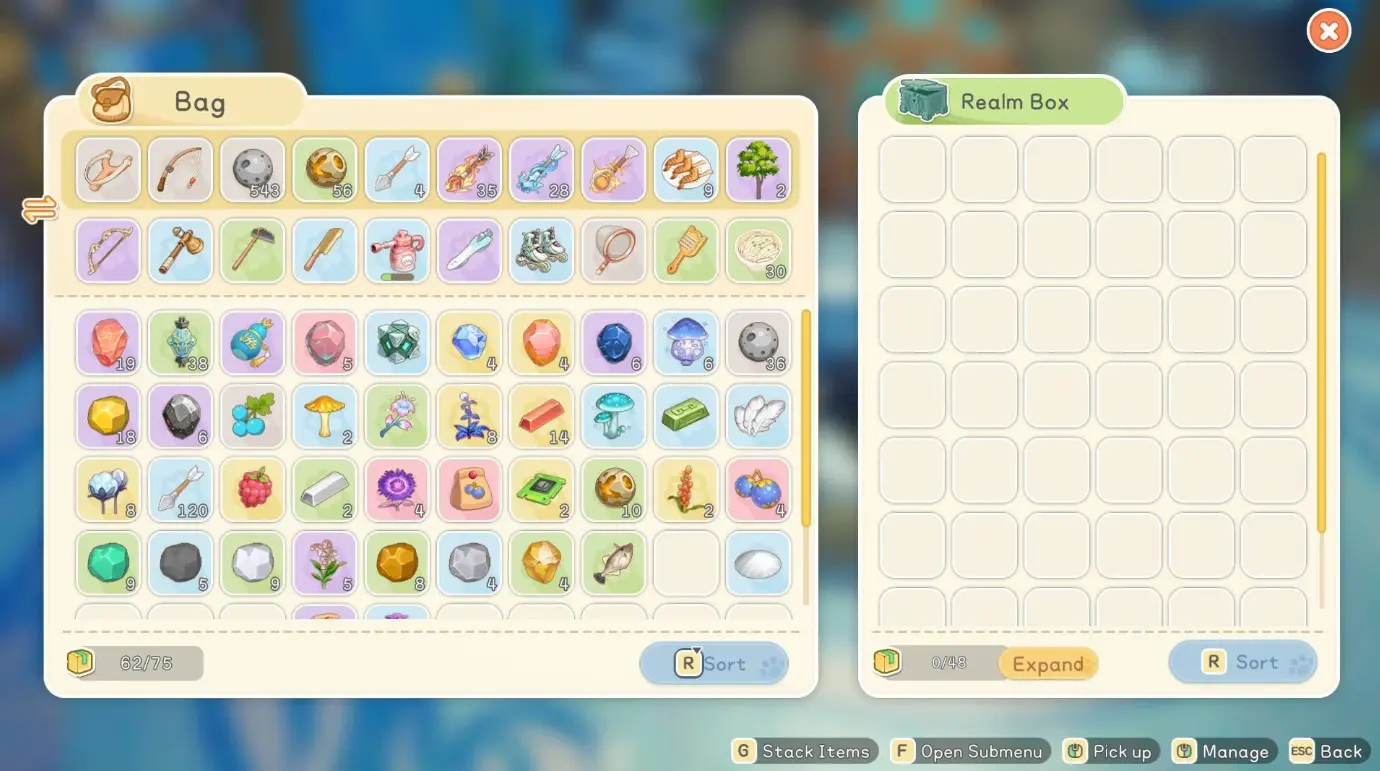
Image via Seed Sparkle Lab
Even after increasing Backpack space, if you still feel a shortage of storage, this is where the Realm Box becomes valuable.
It is a portable storage system that functions similarly to an “Ender Chest” in Minecraft. It allows you to collect and store more resources, and you can also carry it around.
Crafting a Realm Box
To unlock it, you must reach the Intermediate Crafter tier first. Once available, you can craft it using:
- 3x Spirit Cube I
- 5x Starflare Core
- 5x Alloy
- 6x Hardwood Plank
Many of these materials can be found in the Moonlit Forest. However, even if you gather them, you must still purchase the Realm Box Blueprint from Zerine’s Medical Store.
After crafting, you can place the Realm Box inside your building zone or carry it in your inventory. Open the Equipment tab, right-click it, and select Open to access shared storage.
If you combine Backpack upgrades with a Realm Box, it creates significantly more storage space and becomes especially useful when farming rare materials or running longer gathering routes.
Expanding the Realm Box
The Realm Box can also be upgraded. Open it and click the Expand button located in the bottom-left corner. Clicking it will show the materials needed to upgrade the Realm Box.
Requirements for Realm Box Upgradation:
| Level | Total Slots | Required Material |
| Base | 48 | 5x Alloy, 3x Spirit Cube I, 5x Starflare Core, 6x Hardwood Plank |
| 1 | 72 | 5x Spirit Cube I, 3x Starflare Crystal |
| 2 | Unknown | 5x Spirit Cube II, 6x Starflare Crystal |
Now that you understand how to upgrade your backpack in Starsand Island, you will rarely struggle with storage again. Upgrade when it requires, prepare materials ahead of time, and don’t forget to use a Realm Box once unlocked.
Editors Recommendations:
- How to Get Diamonds in Starsand Island: Locations & Farming Route
- How to Beat Glintortle on Starsand Island
- How to Find Oilstone in Starsand Island – Location Guide
- How to Get Copper Ingots in Starsand Island – Crafting Guide