

With Pokemon Champions finally out on Nintendo Switch and Switch 2, players are already diving into competitive battles and testing out new mechanics. One of the biggest highlights right now is the return of Mega Evolution.
But here’s the catch. You can’t just Mega Evolve anytime you want. You need the right Mega Stone first. And the game does not exactly hand them all to you upfront.
So if you’re wondering how to get Pokemon Champions Mega Stones, here’s everything you actually need to know.
How to Get Pokemon Champions Mega Stones
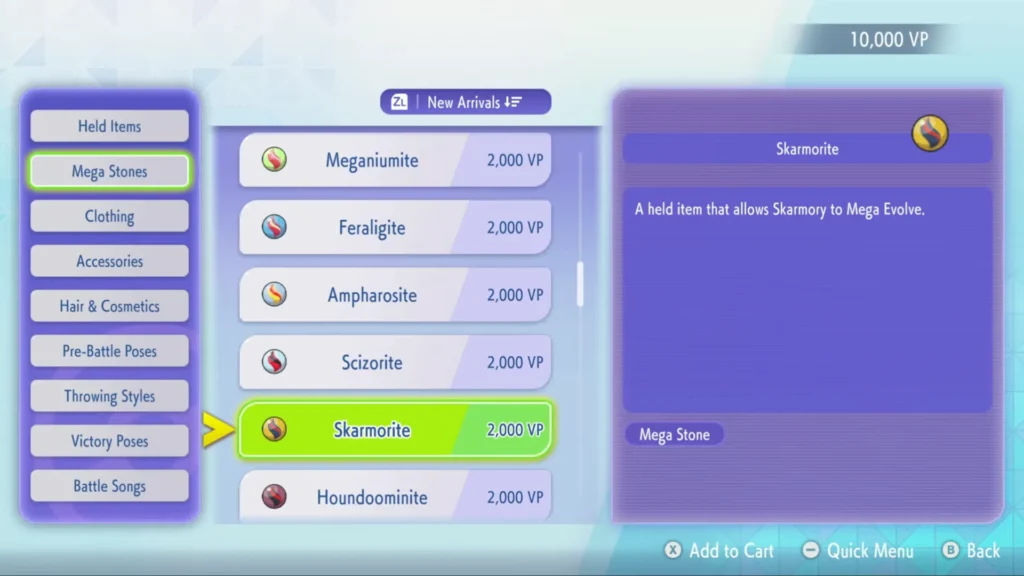
Image via YouTube/Video Game News.
Mega Stones are spread across multiple systems in the game, so there’s no single grind path. You’ll collect them naturally as you progress, but only if you know where to look.
The first set comes early through Mega Evolution training, which acts as your introduction to the mechanic. After that, you’ll need to expand your collection through different routes.
Here are the main ways to get Mega Stones Pokemon Champions:
- Battle Pass: Some Mega Stones unlock as tier rewards, including ones like Dragonite’s
- Frontier Shop and Premier Shop: You can directly purchase select stones using in-game currency
- Mystery Gifts: Limited-time rewards sometimes include rare Mega Stones
- Pokemon HOME linking: Bringing specific Pokemon from other games can reward their Mega Stones
- Early download bonuses and events: Certain stones are tied to seasonal or launch rewards
There’s no need to rush everything. If you keep playing regularly, you’ll keep unlocking more options.
How to Equip Mega Stones in Pokemon Champions
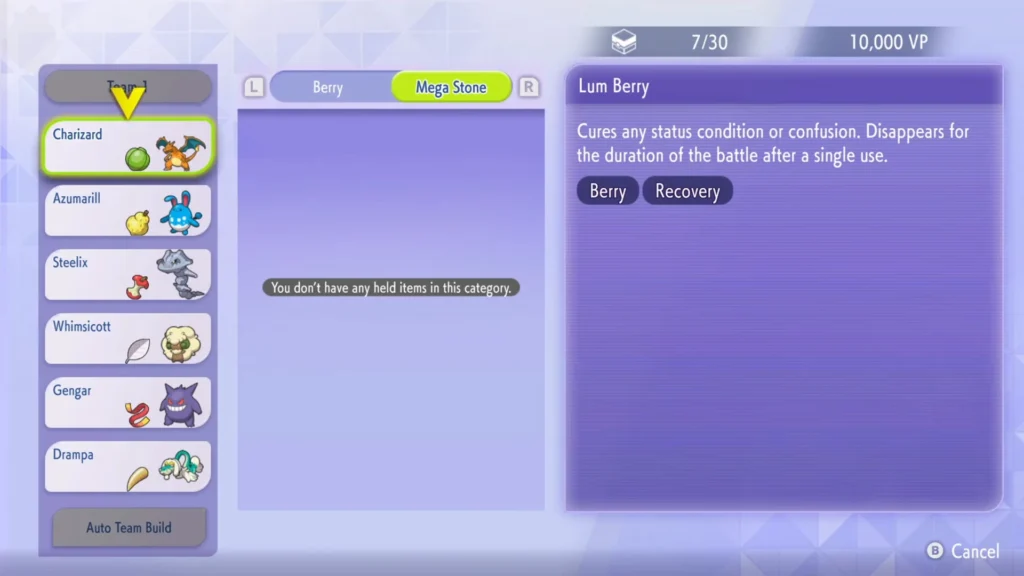
Image via YouTube/MonkeyKingHero.
Getting a Mega Stone is only half the job. You also need to equip it properly, and this is where things feel a bit unintuitive.
To equip a Mega Stone:
- Open the main menu and go to Box
- Select the Pokemon you want
- Choose Give an item to hold
- Navigate to the Mega Stone section
- Select the correct stone for that Pokemon
Once equipped, the Mega Stone takes up the held item slot, so you cannot use other items at the same time.
A quicker method is selecting your Pokemon directly from your battle lineup and assigning the item from there.
How to Mega Evolve in Battle
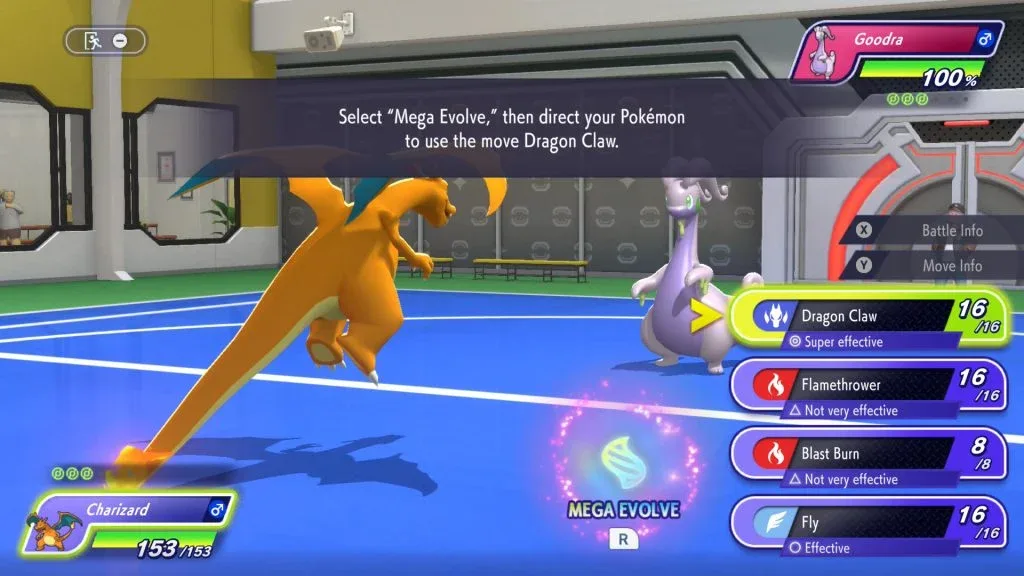
Image via The Pokémon Works.
After equipping the correct Mega Stone, you’re ready to use it in battle.
During a fight:
- Select Fight
- Press the R button to toggle Mega Evolution
- Confirm your move
Only one Pokemon can Mega Evolve per battle, so timing matters. If you switch that Pokemon out, it will stay in its Mega form for the rest of the match.
Editor Recommendation’s:
- How to Time Travel in Pokemon Pokopia
- How to Use Security Cameras in Pokemon Pokopia
- How to Make Paper in Pokemon Pokopia
- How to Get Concrete in Pokemon Pokopia
- How to Get Mew & Mewtwo in Pokemon Pokopia
- Pokemon Pokopia Tinkagears Guide: How to Find and Use Them
FAQs