

Surviving a raid in Marathon is not just about winning gunfights. Some of the biggest threats on the map come from corrupted zones that slowly eat away at your health if you enter them unprepared. One of the few tools that can keep you alive in these situations is the Marathon Anti-Virus Pack, a consumable designed to protect players from environmental corruption.
This item becomes especially important during Lockdown events on Dire Marsh. These encounters can lead to some of the best loot in the game, but the corrupted field inside the event will quickly kill anyone who walks in without protection.
Here is how to find Anti-Virus Packs in Marathon and how to use them properly during Lockdowns.
What the Marathon Anti-Virus Pack Does
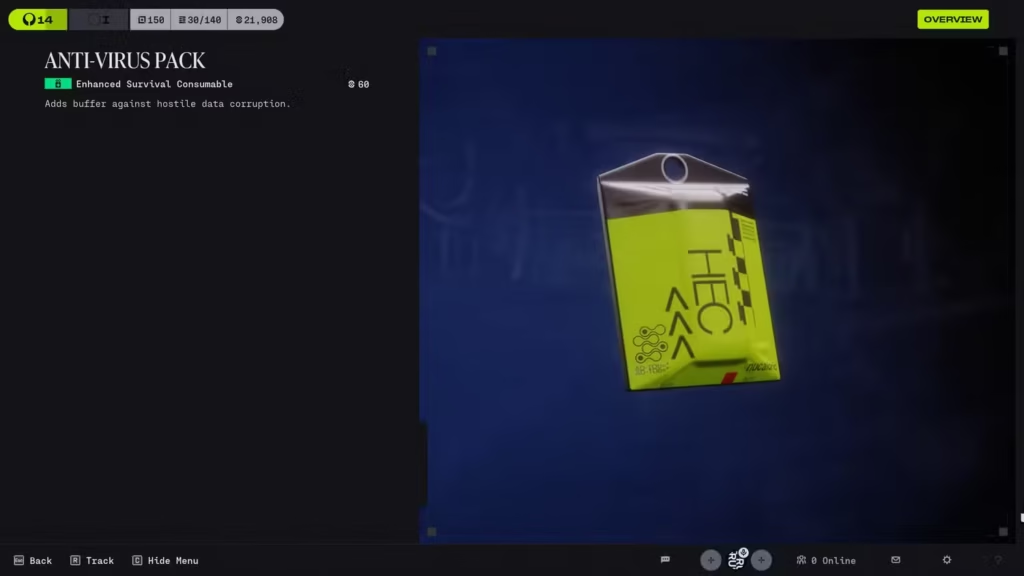
Image via Bungie.
As a consumable item that provides players with damage protection from corruption, the Marathon Anti-Virus Pack is an essential tool to have available. When the pack is used, it creates a temporary buffering zone against corruption that will be reflected by a yellow bar at the top of the player’s HUD.
In the event of the character being damaged while fighting within a corrupted data zone or being attacked by a corrupted environmental effect, the yellow buffer will absorb the amount of damage until it has been depleted and will, after being expended, revert to the player taking damage like normal.
Because of the temporary nature of the buffing effect, players should use the Marathon Anti-Virus Pack right before entering a corrupted area or while trying to complete an objective inside of a corrupted area. If the player uses the item too soon, they may waste their protection against the corruption effect, but if they wait until the last minute, they might not finish their objective before their health begins to deteriorate due to the negative effects of corruption.
In addition to being required to protect against the damaging effects of corruption, Anti-Virus Packs are also required for participation in Lockdown Events that occur on the Dire Marsh Map, where players suffer constant corruption damage due to the activation of a Lockdown Event.
How to Get the Anti-Virus Packs in Marathon

Image via Bungie.
There are two main ways to obtain the Marathon Anti-Virus Pack: faction upgrades and raid loot.
Getting them through the MIDA faction progression system is the best and most reliable way. After reaching rank 5 with the MIDA faction you will unlock an upgrade at your faction that gives you the ability to purchase these packs from your armory.
To unlock this upgrade you will need 1500 credits and 23 unstable lead, and after doing this, you will have access to buy anti-virus packs from your faction prior to raiding so that you can be prepared for lockdown events or using corrupted zones.
If you have not reached rank 5 with the MIDA faction then you can also get marathon anti-virus packs while raiding. They may appear from looted lockboxes, continued, caches and other exploitable items throughout the game. Also, some enemies will drop the anti-virus packs as loot.
The downside with the looting method of acquiring anti-virus packs is that you cannot guarantee you will find them through this method. Raiding for them relies heavily on chance so you may have to do several raids before finding one.
Therefore, continuing to progress the MIDA faction is the most consistent and reliable way to obtain anti-virus packs.
How to Use Anti-Virus Packs in Lockdown Events
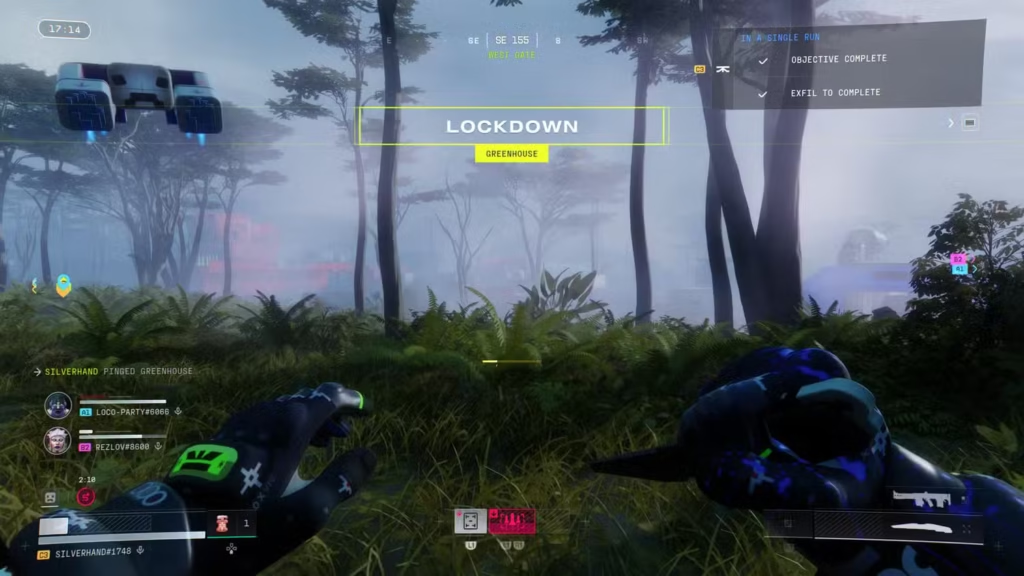
Image via Bungie.
The Anti-Virus Pack from Marathon is extremely important during lockdown events, which are high-risk situations where players may experience adverse events while running around the Dire Marsh map in raids.
Approximately ten minutes into your game, the lockdown event will begin by identifying the point of interest on the map where the offensive action will take place.
Players are advised to activate an Anti-Virus Pack before entering the lockdown zone, as the environment within the area has an extremely dangerous effect on their ability to survive due to the depletion of health.
Players will also need to find a Lockdown Drive while inside the lockdown zone, and insert it into a blue terminal located in the lockdown area.
Once the terminal has been activated, players will begin to receive waves of enemies, usually in the form of UESC responding units. When they are defeated, players will be able to access the contents of the terminal, where they can find a great amount and variety of loot.
After completing the first round, a new Lockdown Drive will appear, allowing players to repeat Lockdown Events for progressively greater challenges and rewards.
Editor’s Recommendation’s:
- The Ultimate Stone Demon Boss Guide for Borderlands 4
- How to Recruit Meek the Mimic in Esoteric Ebb?