
The Stabilizer Blueprint in StarRapture is a critical crafting recipe you will need while progressing on Arcadia-7. It unlocks the Stabilizer component, which is required to progress through early-game base-building and industrial automation.
However, the blueprint cannot be obtained through normal crafting. You must infiltrate a dangerous research facility and climb to the top of a tower to secure it. This guide explains exactly where to find the Stabilizer Blueprint and how to retrieve it.
Where to Find the Stabilizer Blueprint in StarRapture
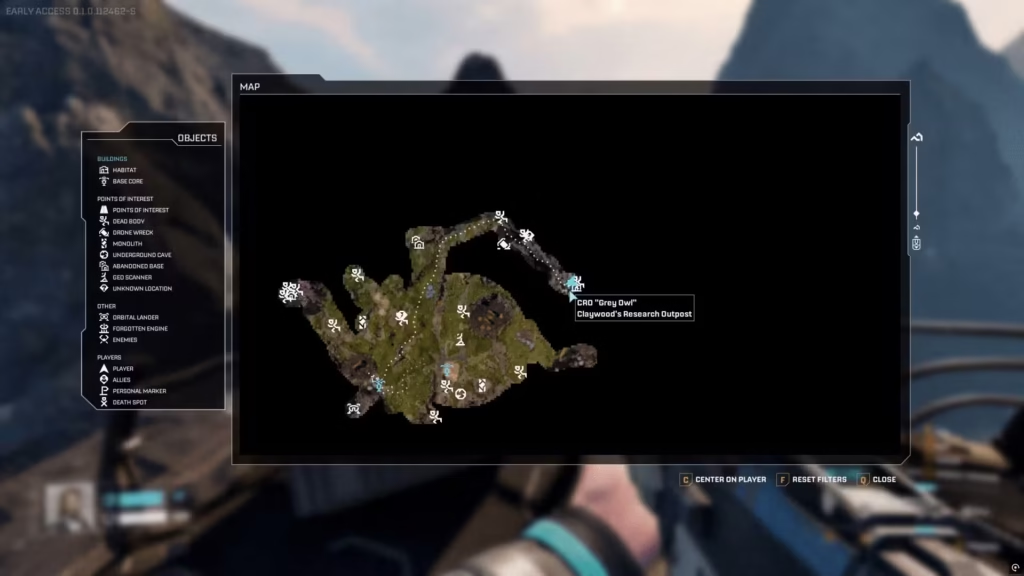
Image via Creepy Jar
The blueprint can be found at Claywood’s Research Outpost, located northeast from your initial landing pod.
To reach the outpost, begin traveling northeast toward the massive crashed thruster visible near the mountain range. You can identify the area by its large staircase structures, industrial pipes, and a sign that says “Grey Owl”.
While heading toward the location, you may also pass a large radar station, which serves as a useful midpoint landmark confirming that you are moving in the right direction.
The outpost is situated inside a hazardous zone filled with toxic blue spores and hostile alien creatures, so prepare before entering.
Tips Before Visiting the Outpost
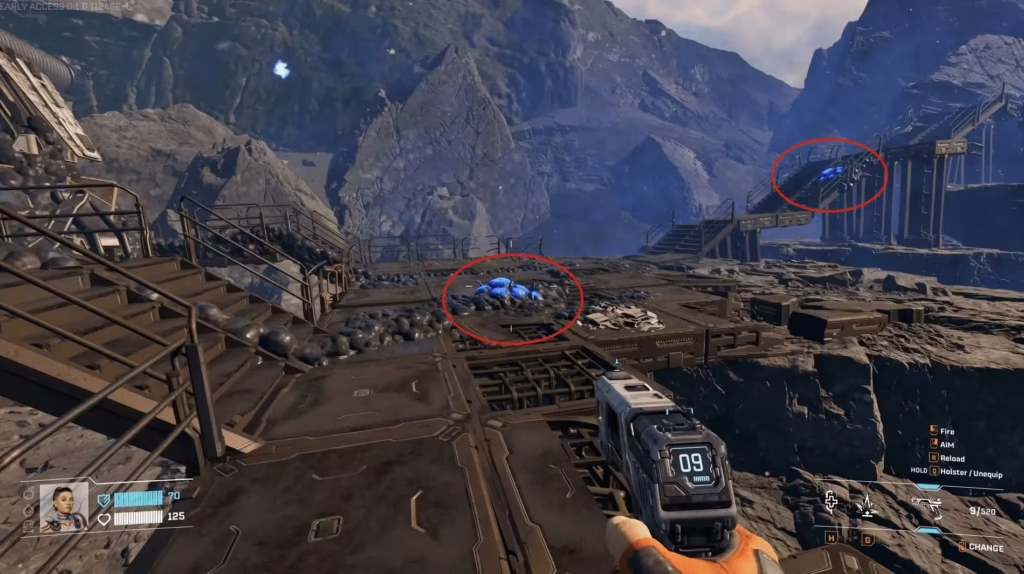
Image via Creepy Jar and YouTube/@MetaForge
Getting into the outpost can be dangerous for unprepared players. If you choose to enter during normal conditions, consider these preparation tips:
- Do not rely on basic firearms, try to acquire at least the UPP-7 Pistol or the MAR-9 assault rifle.
- Bring enough ammunition before entering the research facility.
- Pack Star Tears to restore health, which can be found on small rocks or you can unlock the Med Tool.
Pro Tip: Approach the area immediately after environmental events like firestorms, which may reduce enemy presence for roughly 10 minutes.
How to Reach the Tower and Collect the Stabilizer Blueprint
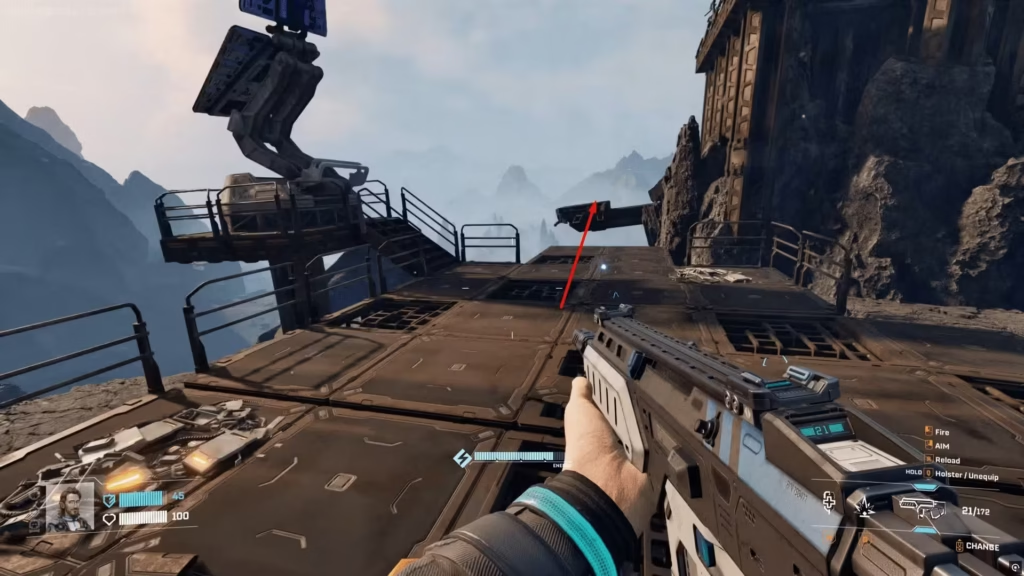
Image via Creepy Jar
Once you arrive at Claywood’s Research facility, you must climb the main tower to collect the Stabilizer Blueprint in StarRapture.
Follow these steps:
- Enter the research facility: Approach the facility from the southwest side and look for metal ramps and stairs along the building.
- Clear the Perimeter: Before you even step on the metal platforms, use your pistol to shoot blue spores visible from a distance to clear the hazardous zone initially.
- Defeat nearby enemies: The area is guarded by hostile vermin and infected creatures. Use an Assault Rifle to make these encounters easier.
- Climb the platforms: Move across the platforms and broken pathways surrounding the tower. Some sections require careful jumping between gaps.
- Reach the roof of the tower: Continue climbing until you reach the top section of the facility.
- Loot the storage container: At the roof, you will find a blue storage box near the railing or behind a terminal, open it to collect the Stabilizer Blueprint in StarRapture.
How to Use the Stabilizer Blueprint
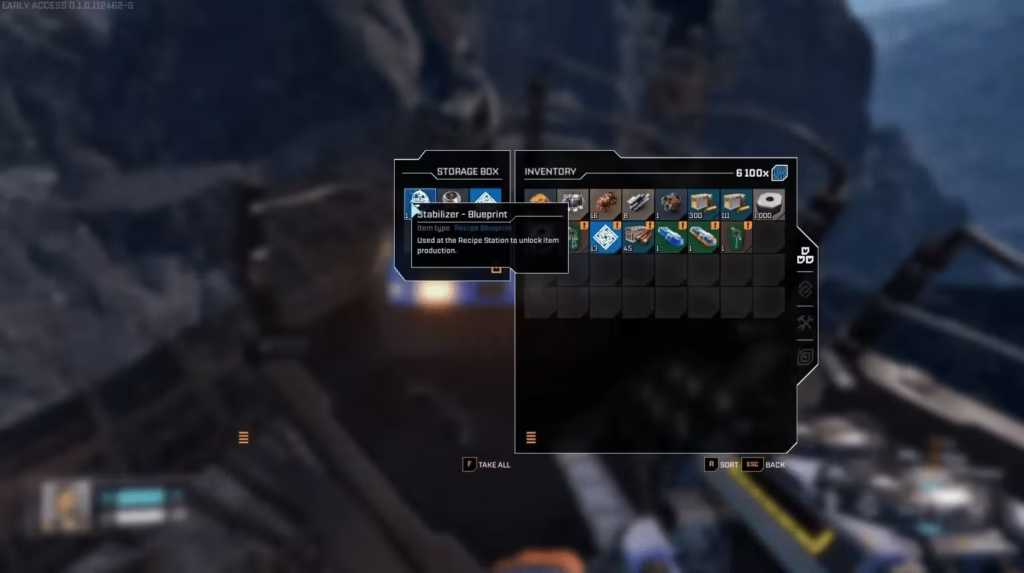
Image via Creepy Jar and YouTube/@MetaForge
After collecting the Stabilizer Blueprint in StarRapture, return to your base and access the Recipe Station.
Insert the blueprint to see the research requirements. To fully unlock the recipe requires:
- 100 Rotors
- 300 Titanium Tubes
- 600 Data Points
Once researched, the Stabilizer moves from the Recipe Station to your Fabricator. Each Stabilizer typically costs 1 Rotor and 1 Titanium Tube to craft.
Once crafted, Stabilizers can be used to structure buildings and support larger multi-level base constructions. They are also required for crafting defense turrets and guns, which help protect your base from hostile threats on Arcadia-7.